Welcome to the EGGhead Forum - a great place to visit and packed with tips and EGGspert advice! You can also join the conversation and get more information and amazing kamado recipes by following Big Green Egg to Experience our World of Flavor™ at:
Want to see how the EGG is made? Click to Watch
Facebook | Twitter | Instagram | Pinterest | Youtube | Vimeo
Share your photos by tagging us and using the hashtag #BigGreenEgg.
Share your photos by tagging us and using the hashtag #BigGreenEgg.
Want to see how the EGG is made? Click to Watch
Got my stoker II. So excited.

ummgood
Posts: 120
Here are some photos. I ordered the large big green egg kit with 6' probe length instead of 4'. I hope to try it out this weekend. The only weird thing is the antenna was separated from the housing. I popped it back in hopefully it didn't come disconnected inside.
Austin, TX
BGE-Large, Weber EP-330
BGE-Large, Weber EP-330
Comments
-
Nice! Glad it finally arrived! I've been eying these things already, but figure I need to at least get a few cooks under my belt first. Let us know how you like it!
“your body is not a temple, it's an amusement park. Enjoy the ride.” Anthony Bourdain, Kitchen Confidential
LBGE in SATX
-
Can you post a pic of how the blower marries up to the draft door? does it just slide into the groove then you shut the door up to it? I've seen lots of pictures of these in action, but not really clear how it hooks in.This is definitely on my list of eggcessories!BGE XL in the Pacific NW
-
I agree on the DigiQ adapter, but it is easily modified if necessary. Here's how to modify it to fit a large egg in a nest.
Washington, IL > Queen Creek, AZ ... Two large eggs and an adopted Mini Max
-
Sure I will plan on taking lots of pictures. I might also post my step by step setup for my wifi. I plan on spending some time this weekend setting it up. I'll probably start tomorrow night after the kids go to bed and try a shorter cook with it on Saturday.orbbq said:Can you post a pic of how the blower marries up to the draft door? does it just slide into the groove then you shut the door up to it? I've seen lots of pictures of these in action, but not really clear how it hooks in.This is definitely on my list of eggcessories!I have to first figure out how to fix my router/cable modem setup in my house. Basically my internet wasn't working for beans a month ago after TWC upgraded Austin to their MAXX speeds. Someone came out to my house and ran new cable and gave me a new all-in-one modem/router. I hate it and I need to figure out how to get it to behave like a Modem only and get my airport extreme to be the router. Right now I am just using the airport extreme as a wifi access point but I want to get all that working again so I can put the stoker on a DMZ port to access it when I am not at home.I plan on lots of irritation etc... before I get the stoker up and running.Austin, TX
BGE-Large, Weber EP-330 -
Oh and it is raining sideways in Austin right now. I am a sissy lala so hopefully it stops or at least stays off my covered patio by Sat.Austin, TX
BGE-Large, Weber EP-330 -
I have to get one of these... I think i need to sell off one of my watches.
2 LBGE, Blackstone 36, Jumbo Joe
Egging in Southern Illinois (Marion)
-
Ok my fun with the stoker started last night. First I had to deal with my network settings. My cable modem died a month ago and the installer came and fixed a bunch of stuff. He had my modem setup as a router and wifi hotspot. My AirPort Extreme and airport express were hard wired and just provided another wifi access point. My house is pretty big and I need one on each end of the house.
So last night I read how to shutoff the router and wifi functions on my modem from the cable company. I got all that shut off and got my AirPort Extreme setup as the router and wifi hot spot. The express is now connected back to the extreme and is repeating the signal. I also setup the extreme to have some room so I can give the stoker a static ip. I was surprised how quick this went. I thought the modem would give me trouble.Austin, TX
BGE-Large, Weber EP-330 -
Next I got the stoker out and hooked up both probes and the blower. You have to have them connected before you boot. I powered up the stoker and both the probe plugs lit up but not the blower. After booting all lights were turned off. I was concered so I used the menus and associated a probe with the blower. I then set a target temp for the probe and the blower turned on. Everything looking good so far.
Now I wanted to get the stoker online. I hooked it up to the spare port on my airport express since it was closest to me. The stoker needs to be rebooted to try to obtain an IP address so I rebooted it. I then used the menus to determine the IP address. I then went to my browser and typed in the ip. And I got up the website on the stoker. So far so good. Now I wanted to get it on a static ip. It was using a dynamic ip. I plugged in a static ip and rebooted the stoker. It didn't work when it came up so I looked more in the menu and manual provided the gateway, router, and DNS ip addresses I copied from my iPad. Rebooted and I could now get to the stoker on the webpage again.
Next I wanted wifi so the only way to set that up is with the web page on the stoker so I clicked on that link. I enabled wifi, put in the same ip info that I previously was using for hard wired and put in my wifi name and password. I shut down the stoker and disconnected the Ethernet cable and powered it up. I tried the website again and it worked. The stoker is up and running on my wifi Yey! It was pretty painless so far.
Next I decided to try out an iPad app. I decided on BBQ monitor and made sure it could connect to the stoker and it worked fine. I will review the app and my first cook today at some point. Next I used the web page to rename all my probes and blower to something that made sense instead of a really long serial number.
Next I used my airport utility to assign a port assignment for port 80 to be forwarded to the stokers static ip. This way I can communicate with it when I am away from the house. I tested the stoker webpage by going to the ip assigned to my house on my phone with wifi off and I could pull up the page. Everything is working great. After that I went to bed. I will, start my first cook experience in a few.Austin, TX
BGE-Large, Weber EP-330 -
A couple more config picturesAustin, TX
BGE-Large, Weber EP-330 -
Which do you own Android or Apple phone? Check out some APPs for StokerLBGE 2013 & MM 2014Die Hard HUSKER & BRONCO FANFlying Low & Slow in "Da Burg" FL
-
Apple here. I did download one I will review it soon.Austin, TX
BGE-Large, Weber EP-330 -
Not familiar with Apple's APP. I like this Android APP.
LBGE 2013 & MM 2014Die Hard HUSKER & BRONCO FANFlying Low & Slow in "Da Burg" FL -
Following intently. Want one. Drooool.
-
I just finished some ribs. Some more Stoker setup stuff.
I attached the adapter to the blower. When the wire is facing up you want to make sure the angled part of the adapter is on the right side and tilted away from the fan. I started the fire and just for fun let the stoker bring the egg up to temp to see what would happen. Since my family was the only guests for dinner I took a little more liberty with control of the egg. I set the target temp to 225 degrees and selected the blower for the pit probe. The plug for the blower lights up blue when it is on. The other two probes light up if they alarm by either exiting the desirable range for the pit or reach the target temp for the food. Those lights are red and orange. Not sure which one is which.
One thing I learned is if you use the stoker to ramp the temp up it majorly overshoots the desired temp because it blows on the fire until 224 degrees and the fire went crazy until 255 or so. I didn't touch anything and finally about 30 minutes later put the meat on at 245 degrees and turned off the fan while I had the egg open. It took a good hour before the egg dropped to 225. After that the stoker maintained the temp at 225 +/- 4 degrees. Pretty good. Next time I will have it target 25 degrees below what I want and then let it ramp and reset the target temp when it gets to the target. At one time during the cook I went to the store and was able to view the temps on my phone by going to my IP address in safari.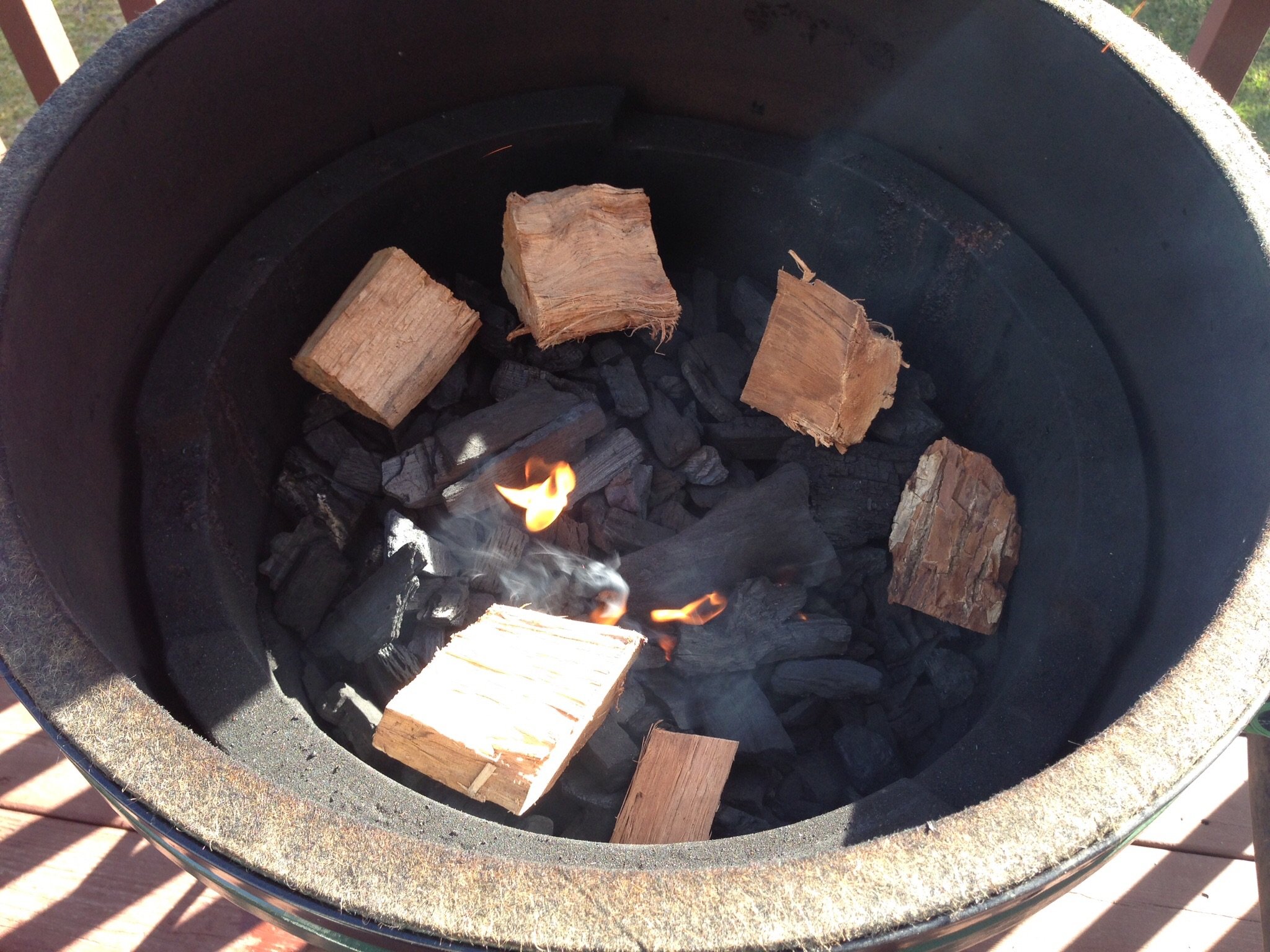
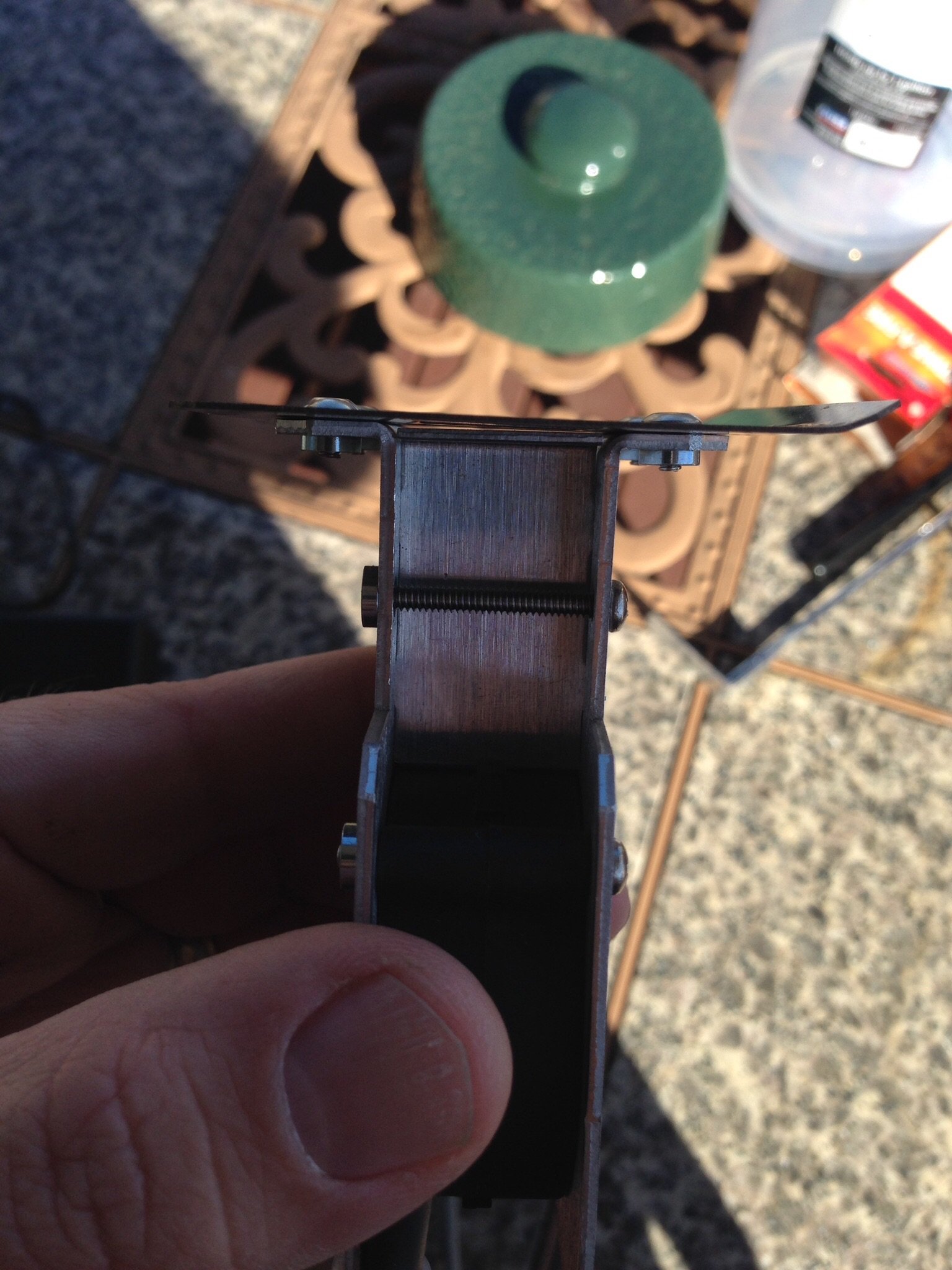
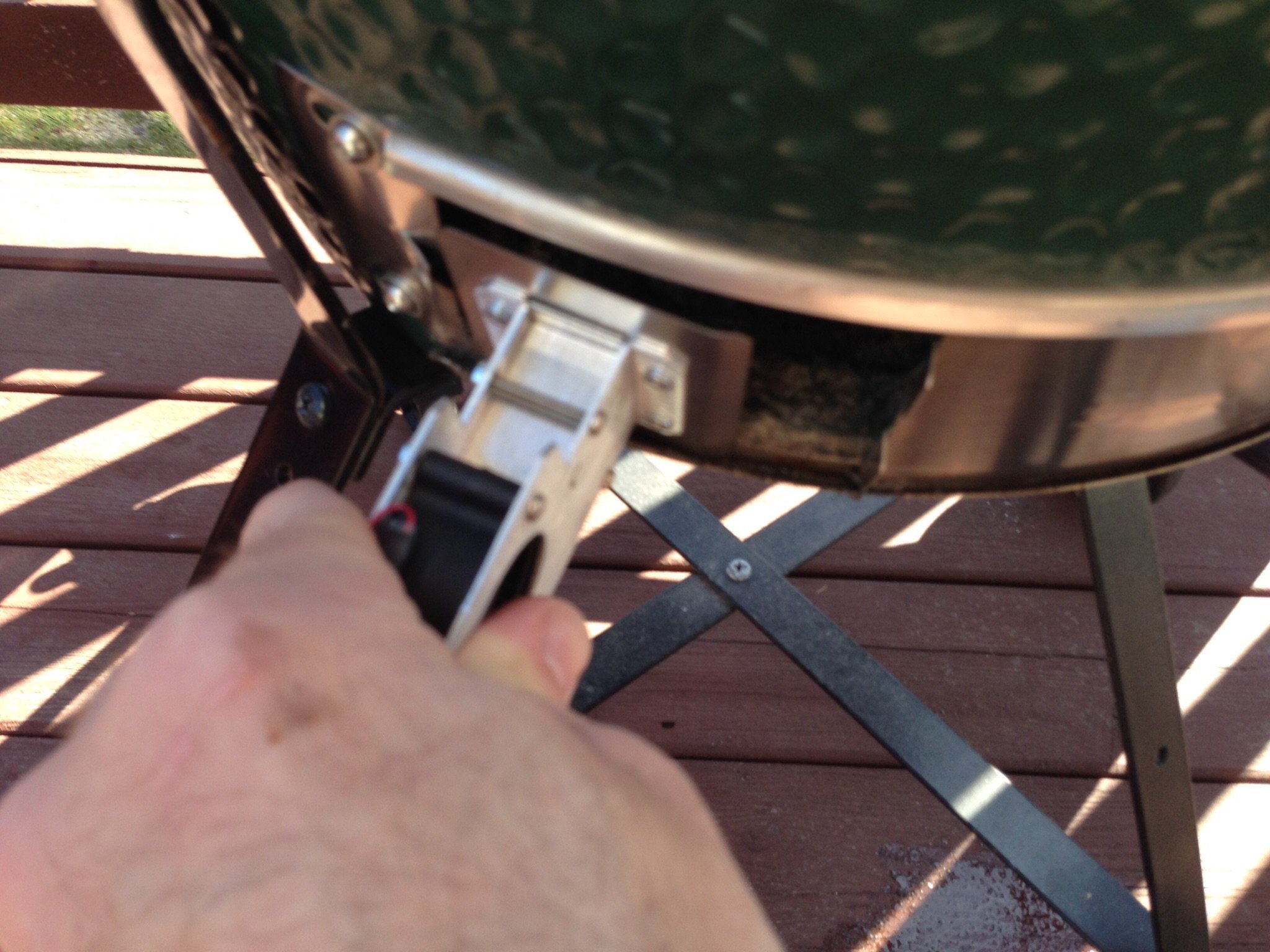
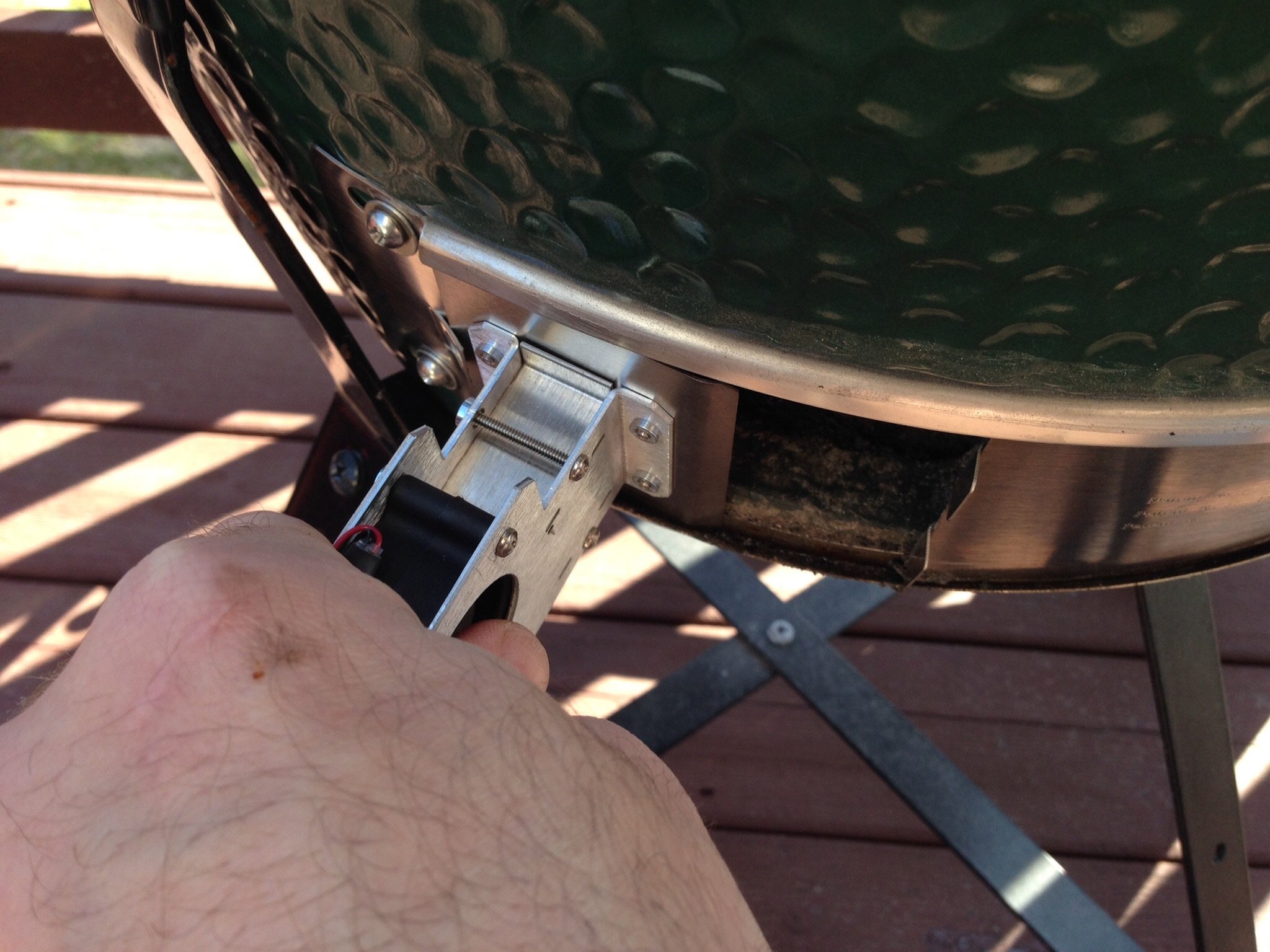
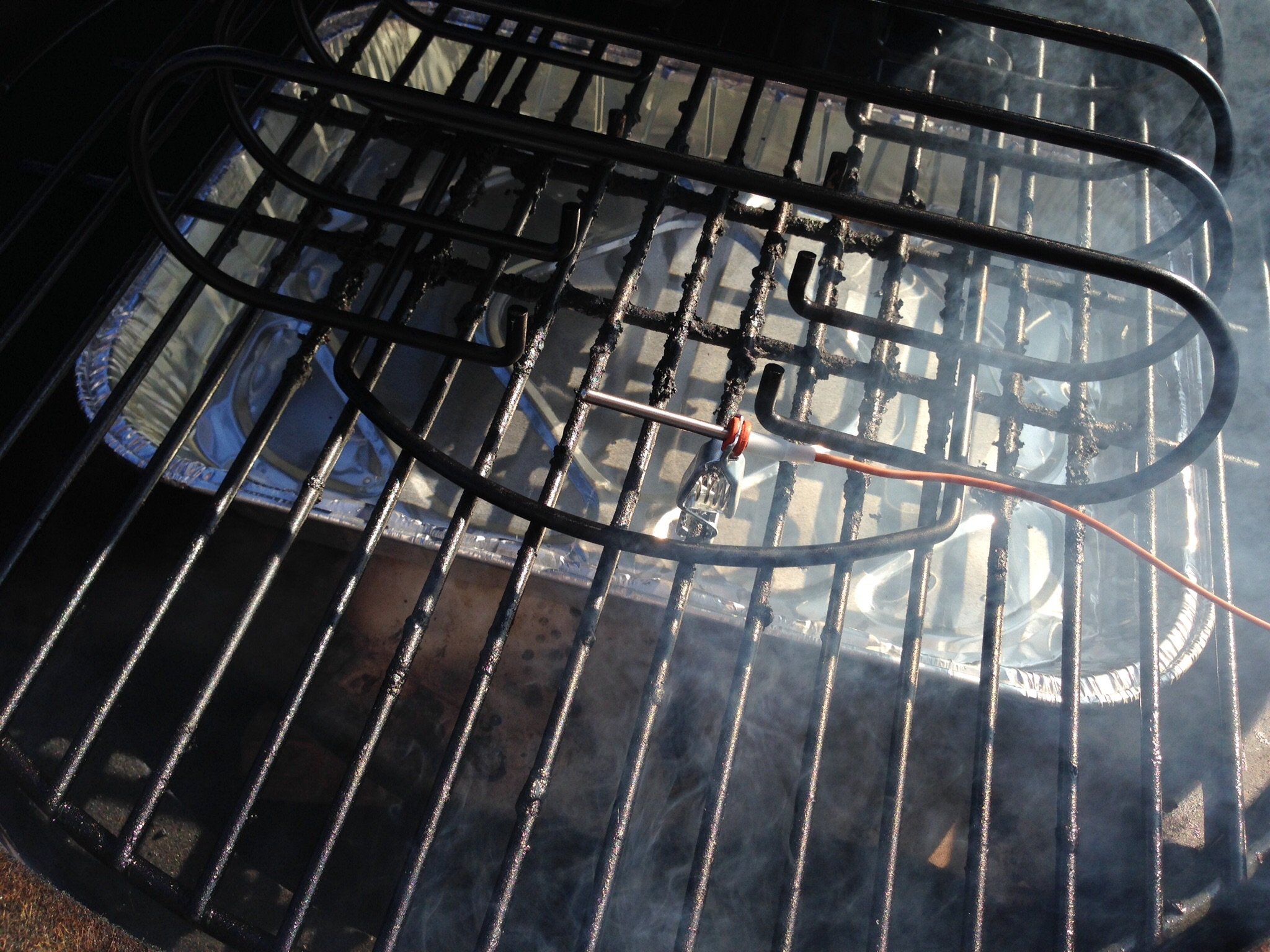
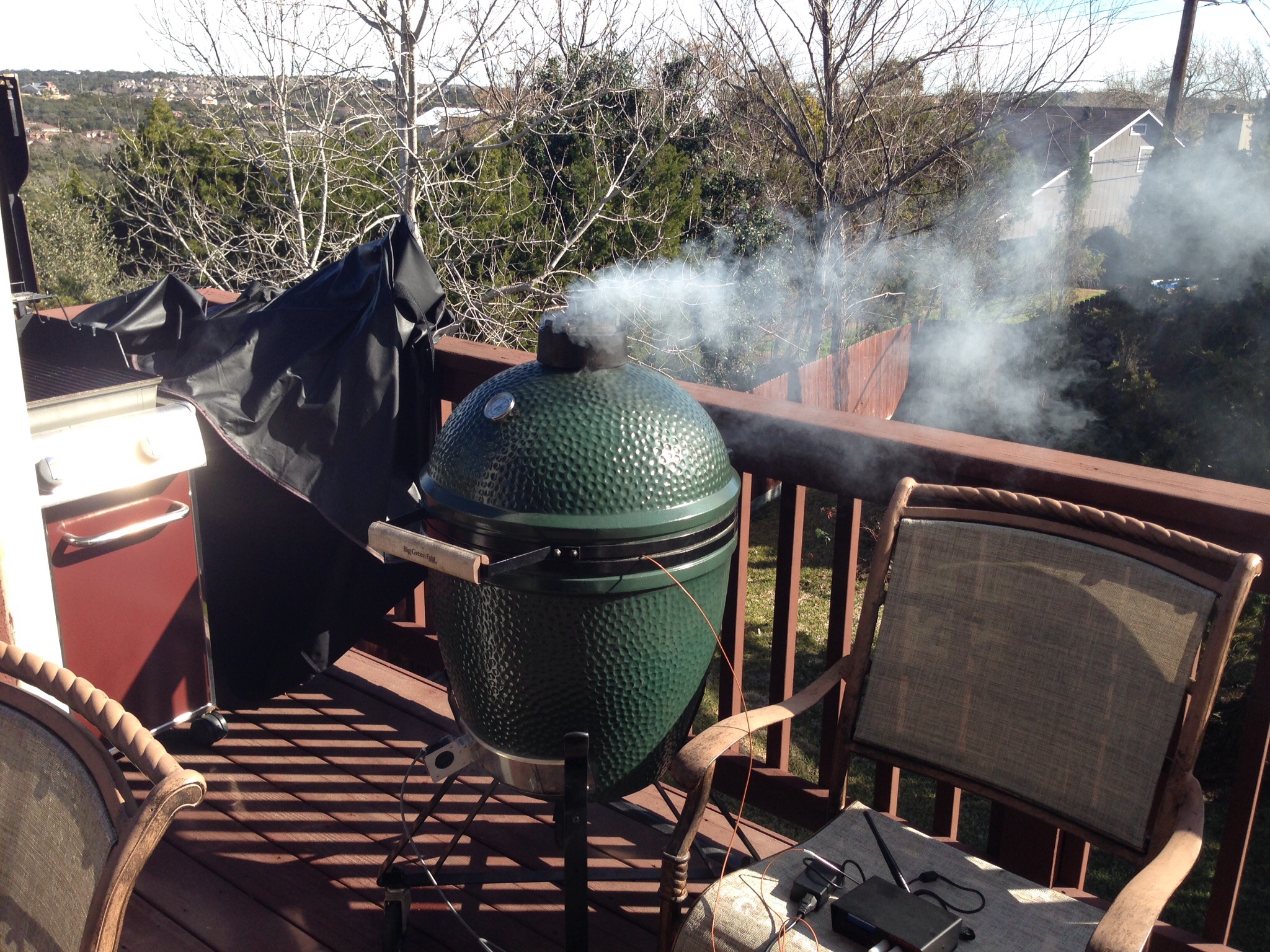
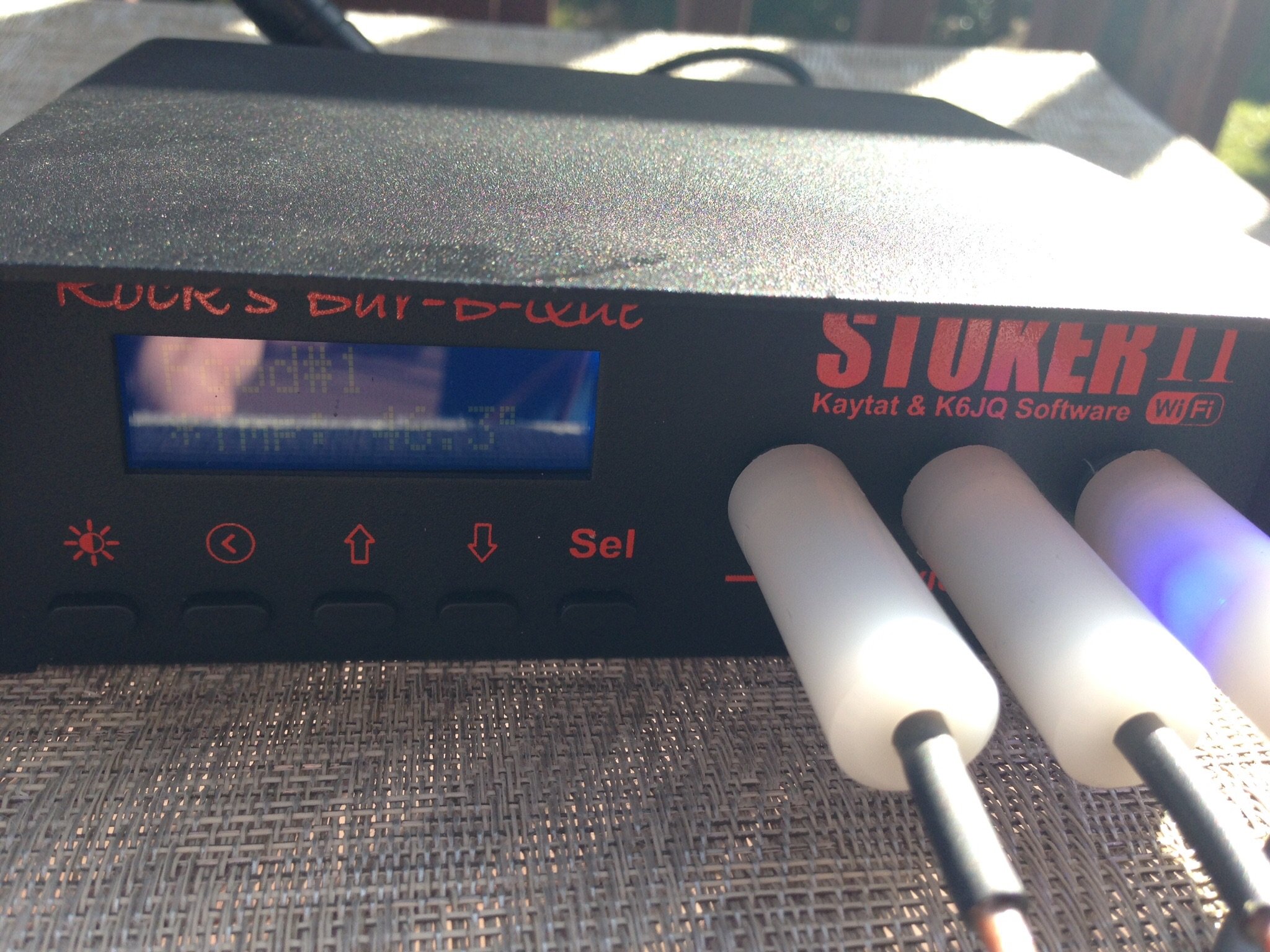
After I got it setup with the web page I switched over to using the iOS app BBQ monitor. I used it for about 2 hours before I went crazy. It has decent capability but to me has some bugs and has some annoying problems. I will probably ask for a refund from Apple. Here are some annoying things about it.
1. It states that it can only run in the background for 5 minutes before it disconnects. Why? I like to surf the web while I cook and my igrill can work in the background no problem. Plus after about a minute of being in the background I start getting notifications it will disconnect. Super annoying.
2. The screen layout is poor. You can't see food and pit temps at the same time. You can see them both on the chart but it isn't that accurate and has bugs.
3. You cannot choose what probe should control the blower from the app so you cannot use the app without the web interface of the stoker.
4. The lines on the gauges should be at decent intervals. They are based on the low and high temps instead of 10 degrees or something.
5. The chart has a bug. It doesn't plot all the points. Instead it plots directly from a very low temp to the latest temp instead of the previous temp to the next temp. This means I had a straight line from 5 minutes into the cook at say 150 degrees to 20 minutes in at 250 degrees.
After getting annoyed with the app I switched to using stoker x on my Mac to monitor. Maybe I will write my own app someday. The ribs look great. I will be cutting them shortly.Austin, TX
BGE-Large, Weber EP-330 -
Some more picsAustin, TX
BGE-Large, Weber EP-330 -
Even moreAustin, TX
BGE-Large, Weber EP-330 -
Looks pretty slick! With a little luck I could see myself with one of these someday. Hope it works for you. Nice looking ribs too!Lethbridge, Alberta LBGE & MM
-
Do you have any idea the difference between the Stoker II & the black box Stoker? I just noticed there is new firmware to download so I'll be doing that tomorrow. I'm wondering if that's the only change.LBGE 2013 & MM 2014Die Hard HUSKER & BRONCO FANFlying Low & Slow in "Da Burg" FL
-
Stoker II is 802.11N. The original black box stoker is 802.11BAustin, TX
BGE-Large, Weber EP-330 -
What does that mean? Mine is less than 2 yrs old. Will the firmware really make a huge difference? Mine has the blue LCD not the old green LCD so, I can do the home firmware upgrade (don't have to send it in to Rock's).LBGE 2013 & MM 2014Die Hard HUSKER & BRONCO FANFlying Low & Slow in "Da Burg" FL
-
I don't know what the firmware differences are. 802.11b is 11Mbps wifi when 802.11n can be 30x faster. For the stocker that isn't that big of a deal. N has a better range which means you can have your stoker farther from your house. Some routers make everything on the network the speed of the slowest thing connected so it could be better to buy a 'n' device but since you already have one it isn't a big deal. Upgrading the firmware can't upgrade you from 802.11b to 802.11n. 2 years is huge in tech
 Austin, TX
BGE-Large, Weber EP-330 -
I just read and it appears the new firmware supports built in support for Twitter and other wifi tasks. I guess before you had to use another app to get Twitter support.Austin, TX
BGE-Large, Weber EP-330 -
Ahhh that's what I had understood too in regards to Twitter Support. I'll do the upgrade nonetheless. I love the Stoker.LBGE 2013 & MM 2014Die Hard HUSKER & BRONCO FANFlying Low & Slow in "Da Burg" FL
-
Yeah I am impressed by the stoker itself. The build quality is impressive and it held the temp great.Austin, TX
BGE-Large, Weber EP-330 -
Will this app work with the Stoker II???NPHuskerFL said:Not familiar with Apple's APP. I like this Android APP.Perry, GeorgiaXL BGE, Weber Performer -
So to bring this really old thread back to life. I have been using my stoker and love it. I am very disappointed in the BBQ Monitor app. If I am cooking overnight it often times out and disconnects so I get no warnings. It won't run at all with it in the background. If I have a cook going and have to do something it almost immediately starts complaining via notifications that it needs to close down the connection. The graph chart has bugs where it won't show the intermediate points in the cook 1/2 the time. Now to top it off my iPhone 7 is complaining that it is slowing my phone down and the app author needs to create a new version.
The only other app is the Pit Pal which I downloaded last cook and it seems to be slightly better but the setup is kind of hoky. I finally figured out what I was doing and will try it out at Christmas to see how well it works. I am doing an overnight brisket cook and really need to be able to rely on the app to wake me up if there is an issue. We shall see.
I am half tempted to learn how to develop iOS so I can write my own app. Something simple that I know will work. I program for a living but not iOS but we'll see how frustrated I get.Austin, TX
BGE-Large, Weber EP-330 -
I really like gadgets and technology. And I really like the features of the Stoker being able to expand and read multiple pits, meats and fans from one unit.
But when I read all the stuff you have done above, it makes me feel very happy about buying my simple Flame Boss 200. I do have one of the older, non wi-fi Stokers. I remember spending countless hours trying to hook it up to my router and making it wi-fi. I spent so much time on this forum and the Weber forum and was never able to keep it connected consistently. At the time, Rocks was not known for their fast customer service. I gave up on it and it now lives in a drawer. I think it really only handled one cook.
I'm glad you have the patients and the knowledge to take advantage of the Stoker. I'm sure the newer models are more user friendly but it sure seems like a bunch of work for a devise that is designed to make life easier.
Thanks for posting all the steps and tips as I'm sure this post will help others in the future as well.Thank you,DarianGalveston Texas -
My stress levels have been greatly reduced when I decided to quit effing around with the wifi on my stoker.
-
@ummgood I have a Stoker II and love it. I use PitPal on my iPad both at the house and on the road. As long as I got the IP set fixed on the Stoker and my port open thru my Comcast modem/firewall, all has been great for almost 2 years!
I actually use the nice little web interface that is built in if PitPal gets flaky. THAT works all the time.
Lastly, I do a lot of programming too, and have thought about a better web interface with charts and stuff.Lovin' my Large Egg since May 2012 (Richmond, VA) ... and makin' cookbooks at https://FamilyCookbookProject.com
Stoker II wifi, Thermapen, and a Fork for plating photo purposes -
Thanks!
Don't get me wrong I have no problems with the wifi on the Stoker. I have it setup to a 'T' and have no problem getting the web page up and also have it in my DMZ so I can access it outside of the house. My problem is the 3rd party apps that control the stoker. I would love to have something that could reliably alert me if I am sleeping if there is an issue with the pit temperature or if the meat hits a temp I have set where I need to do something (Like wrap the brisket). That is my biggest issue.
On the other side of the coin I have an iGrill from iDevices and the app is spectacular. It works great if I have it in the background at alerting me. The charts are great and it even works on my Apple Watch. The problem is the probes are down right horrible. I fried two and bought some new ones and one didn't even last me a couple cooks. I decided to put it aside and only use it for my gasser when I am cooking a quick tenderlion for dinner.
If there was an app for the stoker that worked as reliably as the app for the iDevices products it would be the perfect gizmo.
Cookbook_Chip I did find the website that has the old documentation on the telnet interface for the Stoker but it looks old and terse. I would have to really dive in to get something running. It probably wouldn't be too bad but I think the notifications are probably the most difficult part to get right so the app works in the background. I find a lot of iOS apps are intermittent when in the background so it must not be that trivial (I try a lot of fitness tracking apps when I am running and that is my biggest gripe with them when I lock my screen and they fail to update me on my status because of some problem with notifications).Austin, TX
BGE-Large, Weber EP-330






Categories
- All Categories
- 184K EggHead Forum
- 16.1K Forum List
- 461 EGGtoberfest
- 1.9K Forum Feedback
- 10.5K Off Topic
- 2.4K EGG Table Forum
- 1 Rules & Disclaimer
- 9.2K Cookbook
- 15 Valentines Day
- 118 Holiday Recipes
- 348 Appetizers
- 521 Baking
- 2.5K Beef
- 90 Desserts
- 167 Lamb
- 2.4K Pork
- 1.5K Poultry
- 33 Salads and Dressings
- 322 Sauces, Rubs, Marinades
- 548 Seafood
- 175 Sides
- 122 Soups, Stews, Chilis
- 40 Vegetarian
- 103 Vegetables
- 315 Health
- 293 Weight Loss Forum