Welcome to the EGGhead Forum - a great place to visit and packed with tips and EGGspert advice! You can also join the conversation and get more information and amazing kamado recipes by following Big Green Egg to Experience our World of Flavor™ at:
Want to see how the EGG is made? Click to Watch
Facebook | Twitter | Instagram | Pinterest | Youtube | Vimeo
Share your photos by tagging us and using the hashtag #BigGreenEgg.
Share your photos by tagging us and using the hashtag #BigGreenEgg.
Want to see how the EGG is made? Click to Watch
Posting pictures

Zeke21
Posts: 20
Does anyone have an updated thread on how to post pictures? Every time I include the URL from Photobucket and hit preview nothing is displayed.
Comments
-
You have to select the direct link to copy.
Test - Sure do miss my bike.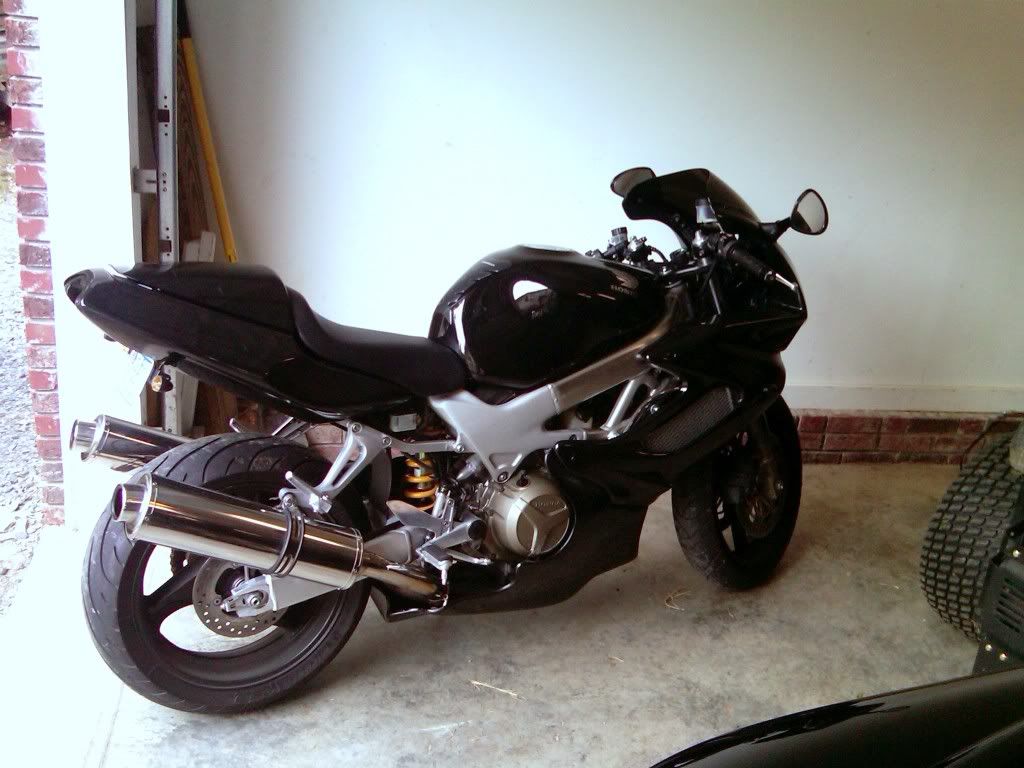
------------------------------
Thomasville, NC
My YouTube Channel - The Hungry Hussey
Instagram
Facebook
My Photography Site -
There's no thread that I'm aware of. It's really simple: In the "Leave a Comment" place at the bottom of the page where I'm typing this message right now, there is a line of icons at the top. If you hover the mouse over the one that looks like a black sheet of paper with the upper right-hand corner folded down, you'll see a "tool tip" appear that says, "Attach image/file." I put a screen capture of what mine looked like when I did that before I started this message below (except that I added a red ellipse):Zeke21 said:Does anyone have an updated thread on how to post pictures? Every time I include the URL from Photobucket and hit preview nothing is displayed.
If you click on that icon, this is what you get:
You don't need to use Photobucket!!! You can if you want to, and you'd paste in the link where it says "Image URL" above, but you can also just drag and drop an image file onto the page like it says. I just make images that usually are around 800-900 pixels wide and put them on my desktop. Then I click on that icon, and drag an image and drop it on the message. EASY! No need to host them on Photobucket or any other server!
When I start dragging the image onto the message, that little dialog that says "Drop image/file" in the picture above disappears, but if I just go ahead and drop the file on the message, it goes right where my cursor was before I dragged and dropped the file.
It's a lot easier than all of this sounds. Kinda like riding a bike: easy to do, hard to describe. -
I miss my bike more than you miss yours ( @tarheelmatt )

I use the "browse images" link in the drop down menu and then just find it in my photos file.
You can (well I can on my Mac) copy an image and paste it directly into the text box.
Indianapolis, IN
BBQ is a celebration of culture in America. It is the closest thing we have to the wines and cheeses of Europe.
Drive a few hundred miles in any direction, and the experience changes dramatically.
-
@Theophan you don't have to link the image and attach it, but the page will load faster by linking. This is what I do to ensure no lag in viewing. Especially on a 20+MB file.------------------------------
Thomasville, NC
My YouTube Channel - The Hungry Hussey
Instagram
Facebook
My Photography Site -
Yeah, but I miss my hog more than all y'all:

That was back in the '80s, I think, the original Harley Softail. Beard wasn't white, back then...
You'll have to educate me on what you mean -- I'm not sure what the difference is between "linking" and "attaching" in this context.tarheelmatt said:@Theophan you don't have to link the image and attach it, but the page will load faster by linking. This is what I do to ensure no lag in viewing. Especially on a 20+MB file.
But as a guy who first started making his own web pages back in the '90s, I shudder at the idea of uploading a 20MB file to a web page! I know lots of people really don't know how to re-size photos for this purpose, maybe don't even have software to do it with, but it's too bad, because uploading that big a file is wholly unnecessary and inescapably slows down the page loading.
Just for kicks, I just re-sized that image above to fit my Retina iMac's entire display area (5120x2880), which surely is hugely bigger than anybody will need, and it wound up "only" 3.6 MB. So a 20MB file is completely nuts -- that's more pixels than anybody's screen is capable of displaying without shrinking it. The image I actually uploaded above seems plenty big to me, and it's only 303 KB, or 0.3 MB.
But help me on the linking vs. attaching images. All I've ever done is drag and drop the way I described. Is there a better way? -
Thanks for the input, much appreciated.
-
So, with mobile phones pushing the MP region, someone snaping a picture on their phone of the best ribeye to date, they upload all 3-5 pictures on one thread. Add all those 5MB pictures, is roughly 20+MB you're trying to load on that page at one time. When linking the picture (from a hosting site) you minimize the loading.Theophan said:Yeah, but I miss my hog more than all y'all:
That was back in the '80s, I think, the original Harley Softail. Beard wasn't white, back then...
You'll have to educate me on what you mean -- I'm not sure what the difference is between "linking" and "attaching" in this context.tarheelmatt said:@Theophan you don't have to link the image and attach it, but the page will load faster by linking. This is what I do to ensure no lag in viewing. Especially on a 20+MB file.
But as a guy who first started making his own web pages back in the '90s, I shudder at the idea of uploading a 20MB file to a web page! I know lots of people really don't know how to re-size photos for this purpose, maybe don't even have software to do it with, but it's too bad, because uploading that big a file is wholly unnecessary and inescapably slows down the page loading.
Just for kicks, I just re-sized that image above to fit my Retina iMac's entire display area (5120x2880), which surely is hugely bigger than anybody will need, and it wound up "only" 3.6 MB. So a 20MB file is completely nuts -- that's more pixels than anybody's screen is capable of displaying without shrinking it. The image I actually uploaded above seems plenty big to me, and it's only 303 KB, or 0.3 MB.
But help me on the linking vs. attaching images. All I've ever done is drag and drop the way I described. Is there a better way?
I can link a file from my website that's 20+MB and it will load faster than the 2-3MB file from a cell phone.
Test... This file is roughly 14.3MB. I upload full rest to my site for purchase availability. The food I post here though, I do down size and apply a watermark.
------------------------------
Thomasville, NC
My YouTube Channel - The Hungry Hussey
Instagram
Facebook
My Photography Site -
Nice bikes! That BMW...gorgeous!

Before it was totaled...Austin, Tx -
tarheelmatt said:. Add all those 5MB pictures, is roughly 20+MB you're trying to load on that page at one time. When linking the picture (from a hosting site) you minimize the loading.
I can link a file from my website that's 20+MB and it will load faster than the 2-3MB file from a cell phone.
Whether a picture is linked or uploaded, it will take the same amount of time to load a 20MB file, assuming the linked site and this site have equal throughput and latency. You are still downloading the same file through your browser.
(If you are talking about uploading/posting, then, yes, that's different - linking something that is already uploaded will always be faster than uploading a full file).
NOLA -
-
I know what you guys mean -- I really miss my bike, too.

Cincinnati, Ohio. Large BGE since 2011. Still learning. -
Test picture
-
She’s a beaut, Clark!kybuckeye said:Test picture"I've made a note never to piss you two off." - Stike
"The truth is, these are not very bright guys, and things got out of hand." - Deep Throat


 ATV
ATV 


Categories
- All Categories
- 184K EggHead Forum
- 16.1K Forum List
- 461 EGGtoberfest
- 1.9K Forum Feedback
- 10.5K Off Topic
- 2.4K EGG Table Forum
- 1 Rules & Disclaimer
- 9.2K Cookbook
- 15 Valentines Day
- 118 Holiday Recipes
- 348 Appetizers
- 521 Baking
- 2.5K Beef
- 90 Desserts
- 167 Lamb
- 2.4K Pork
- 1.5K Poultry
- 33 Salads and Dressings
- 322 Sauces, Rubs, Marinades
- 548 Seafood
- 175 Sides
- 122 Soups, Stews, Chilis
- 40 Vegetarian
- 103 Vegetables
- 315 Health
- 293 Weight Loss Forum