Welcome to the EGGhead Forum - a great place to visit and packed with tips and EGGspert advice! You can also join the conversation and get more information and amazing kamado recipes by following Big Green Egg to Experience our World of Flavor™ at:
Want to see how the EGG is made? Click to Watch
Facebook | Twitter | Instagram | Pinterest | Youtube | Vimeo
Share your photos by tagging us and using the hashtag #BigGreenEgg.
Share your photos by tagging us and using the hashtag #BigGreenEgg.
Want to see how the EGG is made? Click to Watch
Pictures Take Forever to Load - Just this website

Pretty frustrating. I have xfinity with 170mbps down (25 up) and for some reason pictures on this website take 5 minutes to fully load. Anybody else?
The Dude: This is a very complicated case, Maude. You know, a lotta ins, lotta outs, lotta what-have-you's. And, uh, lotta strands to keep in my head, man. Lotta strands in old Duder's head. Luckily I'm adhering to a pretty strict, uh, drug regimen to keep my mind, you know, limber.
Walter Sobchak: Nihilists! *uck me. I mean, say what you want about the tenets of National Socialism, Dude, at least it's an ethos.
Cumming, GA
Eggs - XL, L, Small
Gasser - Blaze 5 Burner
Comments
-
yup, even longer to upload them
-
It's like GD dial-up!!!poster said:yup, even longer to upload themThe Dude: This is a very complicated case, Maude. You know, a lotta ins, lotta outs, lotta what-have-you's. And, uh, lotta strands to keep in my head, man. Lotta strands in old Duder's head. Luckily I'm adhering to a pretty strict, uh, drug regimen to keep my mind, you know, limber.Walter Sobchak: Nihilists! *uck me. I mean, say what you want about the tenets of National Socialism, Dude, at least it's an ethos.Cumming, GAEggs - XL, L, SmallGasser - Blaze 5 Burner -
Glad to learn its not just my setup. Safari 10.1.2 on a Mac Air.
“Declare victory when you have retreated past the point where you started” - Don Tzu
Ogden, UT, USA
-
Here I was thinking it was my slow dsl line!
Large Egg with adjustable rig, Kick Ash Basket, Minimax and various Weber's.
Floyd Va -
Do the pictures take forever to load from these threads?
http://eggheadforum.com/discussion/1209560/smashburgers-for-breakfast-sure-why-not
http://eggheadforum.com/discussion/1209522/inverted-dutch-oven-bread-getting-better-rise-in-my-bread
-----------------------------------------------------------------------
| Cooking and blogging with a Large and Minimax in deepest, darkest England-shire
| My food blog ... BGE and other stuff ... http://www.thecooksdigest.com
----------------------------------------------------------------------- -
Those pages load quickly for me.Stormbringer said:Do the pictures take forever to load from these threads?
http://eggheadforum.com/discussion/1209560/smashburgers-for-breakfast-sure-why-not
http://eggheadforum.com/discussion/1209522/inverted-dutch-oven-bread-getting-better-rise-in-my-bread -
I thought they would. The difference is that for the posts I make, I cut down the dimensions of the image on my PC before uploading, and also reduce the quality slightly. This turns a 4MB image into a 300KB image, much quicker to download. People who directly upload images from cameras without this processing, or I suspect from mobile devices, will cause threads to load slowly.chuckytheegghead said:
Those pages load quickly for me.Stormbringer said:Do the pictures take forever to load from these threads?
http://eggheadforum.com/discussion/1209560/smashburgers-for-breakfast-sure-why-not
http://eggheadforum.com/discussion/1209522/inverted-dutch-oven-bread-getting-better-rise-in-my-bread
I'm not a Vanilla expert, but would be amazed if there isn't a HTML 5 compliant plugin available to reduce image size on upload. At work we implemented this for a persona application, it's dead simple.
-----------------------------------------------------------------------
| Cooking and blogging with a Large and Minimax in deepest, darkest England-shire
| My food blog ... BGE and other stuff ... http://www.thecooksdigest.com
----------------------------------------------------------------------- -
Me too, I always shrink the pictures down to a manageable size before posting. Too many threads with lots of multi megabyte pictures are slow to load with my (not great) internet connection. I end up abandoning many without looking when the pictures load too slowly.Stormbringer said:
I thought they would. The difference is that for the posts I make, I cut down the dimensions of the image on my PC before uploading, and also reduce the quality slightly. This turns a 4MB image into a 300KB image, much quicker to download. People who directly upload images from cameras without this processing, or I suspect from mobile devices, will cause threads to load slowly.chuckytheegghead said:
Those pages load quickly for me.Stormbringer said:Do the pictures take forever to load from these threads?
http://eggheadforum.com/discussion/1209560/smashburgers-for-breakfast-sure-why-not
http://eggheadforum.com/discussion/1209522/inverted-dutch-oven-bread-getting-better-rise-in-my-bread
I'm not a Vanilla expert, but would be amazed if there isn't a HTML 5 compliant plugin available to reduce image size on upload. At work we implemented this for a persona application, it's dead simple. -
No problems here. Just grabbed a random thread - http://eggheadforum.com/discussion/1209565/another-fathead-pizza#latest - and all three pix loaded in a fraction of a second.
Clicking on each photo to see the large versions was almost instantaneous.“Reality is that which, when you stop believing in it, doesn't go away.” ― Philip K. Diçk -
I use an older version of Paint Shop Pro, works great for shrinking down photos. Now I just have to lean to take good photos.
My iPad gives up on a lot of threads and only shows a little blue box for the picture.Dave
Cambridge, Ontario - CanadaLarge (2010), Mini Max (2015), Large garden pot (2018) -
A few things:
First, I had TERRIBLE problems when I was using a VPN to protect myself from all of the trackers that can follow you and tell companies every web site you visit, but once I turned off the VPN and just used the anti-tracking stuff without it all of a sudden it's MUCH better. I don't really have a big problem at all, now, and I get 20-something MBPS from my online provider, so if the OP is getting 170-something, then something's wrong on his end. Once I disable the VPN, I have no problem. Once in a while at peak hours (evening, usually), it'll take several seconds to load a bunch of pictures, but usually they just appear without delay.
Second, as others have addressed, a big part of the problem is that most folks just upload photos the way they are in their phones, which are HUGE, just plain vastly larger than they need to be for a web page, and put a bunch of those on one page, and that page will take a while to load. I wish the forum had some sort of automatic software that shrunk photos if they were over a certain size. Like others who commented above, I always size my own photos to a reasonable size before posting them, usually around 900px maximum dimension.
Third, and this is OT, but you posted this question about pictures loading forever in the Poultry section. As I explained in another OT post on this same topic, I've only recently caught on that there are not just recipes, but discussions like this one in each of the various "forums" here. For many years I've just checked and posted in the general "Egghead Forum" section/forum, and had no clue that I was missing a bunch of other discussions going on in the other sections. So... how do YOU guys choose what forums you're checking and/or posting in, and how did you (the OP) wind up posting this question in the Poultry section? I'm trying to figure this stuff out. -
For your 3rd thing. Whether on my desktop or mobile, i have recent discussions displayed, so i see the most recent posts no matter where they are put. I never pay attention to what category they are in and dont think i have ever missed much
-
Somehow I had my bookmark set to the "Egghead Forum" forum (i.e., http://eggheadforum.com/categories/egghead-forum), and not just http://eggheadforum.com, so what I saw every time I came here was that. I just now looked to see how you got "he most recent posts no matter where they are put" and I couldn't find anything that said that. I tried clicking on "All Forums," but that just gave me a list of the categories.poster said:... i have recent discussions displayed, so i see the most recent posts no matter where they are put...
Then I finally tried just typing in http://eggheadforum.com, and presto -- I think I got what you go to. It seems to have the most recent posts regardless of what category they're in. I don't know how I got started on the "Egghead Forum" forum, but that's what I've been doing for years. I just changed my bookmark so now I go to the right place.
THANKS for your help!!! -
I try to only load 25 mb pictures.______________________________________________I love lamp..
-
This is the only site on the whole interwebz I visit. Seems normal.
-
Thanks OP for posting, I'm glad to know that it's not just me. I'll give a thread a minute or so to load and if it doesn't, I'll read the content, then move on. No doubt I've missed some good stuff but I view 6-7 cooking sites a day and this is the worst one when it comes to loading pictures. It's the price I pay for a short attention span.Blessed are the flexible for they shall not get bent out of shape.
LBGE, Weber Genesis II, Weber Performer, 2-WSM, PKGrill, 22" Blackstone, KettlePizza, Joule, ChefAlarm, Smoke, 2-ThermaPens. -
Corvus said:Thanks OP for posting, I'm glad to know that it's not just me. I'll give a thread a minute or so to load and if it doesn't, I'll read the content, then move on. No doubt I've missed some good stuff but I view 6-7 cooking sites a day and this is the worst one when it comes to loading pictures. It's the price I pay for a short attention span.
I love when your trying to read a thread with multiple pics and it jumps a bit as the next pic starts to load so you scroll to where you left off reading and then another pops up and you lose your spot again. I always just assumed it was my crappy ISP, but I don't have much issues with any other sites -
This is a good example of this. I never got any of the pics to loadposter said:Corvus said:Thanks OP for posting, I'm glad to know that it's not just me. I'll give a thread a minute or so to load and if it doesn't, I'll read the content, then move on. No doubt I've missed some good stuff but I view 6-7 cooking sites a day and this is the worst one when it comes to loading pictures. It's the price I pay for a short attention span.
I love when your trying to read a thread with multiple pics and it jumps a bit as the next pic starts to load so you scroll to where you left off reading and then another pops up and you lose your spot again. I always just assumed it was my crappy ISP, but I don't have much issues with any other sites
http://eggheadforum.com/discussion/1209451/ot-canning-day-ot#latest
-
Yes Yes Yes Yes Yes and Yes thank you @TheophanTheophan said:
Second, as others have addressed, a big part of the problem is that most folks just upload photos the way they are in their phones, which are HUGE, just plain vastly larger than they need to be for a web page, and put a bunch of those on one page, and that page will take a while to load. I wish the forum had some sort of automatic software that shrunk photos if they were over a certain size. Like others who commented above, I always size my own photos to a reasonable size before posting them, usually around 900px maximum dimension.
The majority of photos here are not resized and are massive files (>MB) - This hurts SEO and slows the page down to a crawl (not that BGE or any of you are worried about SEO for this site). There are several free and easy ways to resize/compress your photos. Pixlr.com is one of my favorites. I'm not 100% sure about automatic software, but BGE or whoever owns this forum can put a file size limit for photos and should.
and @nolaegghead - LOL!
Birmingham, Ala. -
This is my canning post and I know better!Woodchunk said:
This is a good example of this. I never got any of the pics to loadposter said:Corvus said:Thanks OP for posting, I'm glad to know that it's not just me. I'll give a thread a minute or so to load and if it doesn't, I'll read the content, then move on. No doubt I've missed some good stuff but I view 6-7 cooking sites a day and this is the worst one when it comes to loading pictures. It's the price I pay for a short attention span.
I love when your trying to read a thread with multiple pics and it jumps a bit as the next pic starts to load so you scroll to where you left off reading and then another pops up and you lose your spot again. I always just assumed it was my crappy ISP, but I don't have much issues with any other sites
http://eggheadforum.com/discussion/1209451/ot-canning-day-ot#latest
I agree that most on here upload too large of photo's, including myself. I will generalize by saying most of us post and view on our mobile devices. Well, a 5 inch screen does not need a 5-6MB picture to look clear and detailed. Most probably wouldn't notice a difference if file sizes were reduced to 70-200KB for each photo.
I don't have the time and I am too lazy to go and edit my photo and reduce the size before posting. By not doing so, I am not being a good steward of bandwidth.
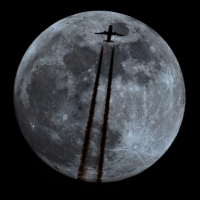
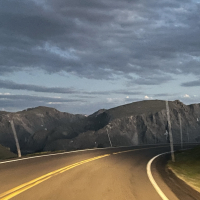
Craigslist has a built in function that re-sizes photos. You upload a 4MB photo and CL will resize it depending on level of detail and number of colors, down to something around 200KB. I am attaching pics of free roosters I just uploaded to CL. The top picture is the one i uploaded at 4MB, and the second pic is what they reduced it to. Can you tell the difference in clarity/quality on your device?
4MB PHOTO THAT I UPLOADED
180KB photo CL automatically reduced to
@The_Buffalo
Is this something you can look into for us? I appreciate that you will host photos on the site and we don't have to rely on 3rd party photo hosting. I don't think anyone would be bothered by an auto-reducer on photo sizes.
Thanks!Large, Medium, MiniMax, 36" Blackstone
Grand Rapids MI -
@kl8ton, I can’t tell a difference in the photos because I can’t get the first one to load. Jefferson, GA
XL BGE, MM, Things to flip meat over and stuff
Wife, 3 kids, 5 dogs, 4 cats, 12 chickens, 2 goats, 2 pigs.
“Honey, we bought a farm.” -
Large, Medium, MiniMax, 36" Blackstone
Grand Rapids MI -
Your pics above look ok to me, the same. Maybe people should just limit the # of pics posted in each response, don't load it upkl8ton said: -
@kl8ton I’m using an iPhone 8 on ATT LTE. 2 bars of service at the moment. At the moment, I was being facetious. Both pictures loaded, but the downsized CL picture loaded instantaneously, while the original took a while.
It seems like it’s an intermittent problem with me. Sometimes the pics load quickly, but most of the time they take forever.
It's worse when I’m on my home WiFi, but I live in the sticks.
Jefferson, GA
XL BGE, MM, Things to flip meat over and stuff
Wife, 3 kids, 5 dogs, 4 cats, 12 chickens, 2 goats, 2 pigs.
“Honey, we bought a farm.” -
Large, Medium, MiniMax, 36" Blackstone
Grand Rapids MI -
I take pictures on my phone and email them to myself, at which point I get a small size option on the email. 4 - 5 MB becomes 150 - 300 KB. I save the emailed picture and upload that. Slightly more PITA than uploading directly, but making it easier for everyone to use the site forever.
-

Photo resizer app. First try. Pretty quick. It shows your gallery, pick a pic. Click 25%. Saves in a default output folder easily identifiable in gallery.
I am using Android. The app is photo and picture resizer.
Large, Medium, MiniMax, 36" Blackstone
Grand Rapids MI -
Let me ask if there is something that can be done here. I looked for an add-on but didn't find anything for resizing pictures. That being said when uploading try resizing them before uploading to the site for now.
-
I noticed on this page that PIUpload claims "This plugin enables ... images, to be resized before upload to avoid errors, and disappointment." I tried to read more on their site but found it rather unhelpful. Maybe if you wrote to a support person there they could tell you for sure whether it would work. It sounds as though it will work client-side, meaning that when people use the forum software (with this plugin, now) to upload pictures, they will have options to make the picture smaller.The_Buffalo said:... I looked for an add-on but didn't find anything for resizing pictures...
The problem with just asking people to resize their own photos (which I always DO) is that very many people just don't know how, and won't be willing to try something that seems complicated. If there is a way that the forum software could do that for people, it would be a benefit both to the forum operators and to all of the users. -









![[Deleted User]](https://secure.gravatar.com/avatar/bd3888299ede8ec3ca6614d37076f259/?default=https%3A%2F%2Fvanillicon.com%2F8d4f1b0d1372ebbac2e267b90a2fec7e_200.png&rating=g&size=200)
Categories
- All Categories
- 184.1K EggHead Forum
- 15.8K Forum List
- 460 EGGtoberfest
- 1.9K Forum Feedback
- 10.4K Off Topic
- 2.2K EGG Table Forum
- 1 Rules & Disclaimer
- 9K Cookbook
- 13 Valentines Day
- 93 Holiday Recipes
- 224 Appetizers
- 520 Baking
- 2.5K Beef
- 88 Desserts
- 167 Lamb
- 2.4K Pork
- 1.5K Poultry
- 33 Salads and Dressings
- 324 Sauces, Rubs, Marinades
- 548 Seafood
- 175 Sides
- 122 Soups, Stews, Chilis
- 44 Vegetarian
- 102 Vegetables
- 313 Health
- 292 Weight Loss Forum